
Compare around the task, not only the model
Buying a robot dog for a business begins with what you want to use the platform for. The Unitree range includes Go2, A2, B2 and As2, but those names do not describe four identical solutions. Existing pages cover research and demonstrations, inspection and monitoring, rough terrain and different legged or wheeled configurations. Compare the task and environment first. Do you want to develop robot software, collect measurements or investigate an application? Then examine relevant sensors, interfaces and the version. A compact development platform does not automatically have the same package as an industrial inspection robot. This comparison therefore uses existing product information without declaring one universally best model for every business or every route.
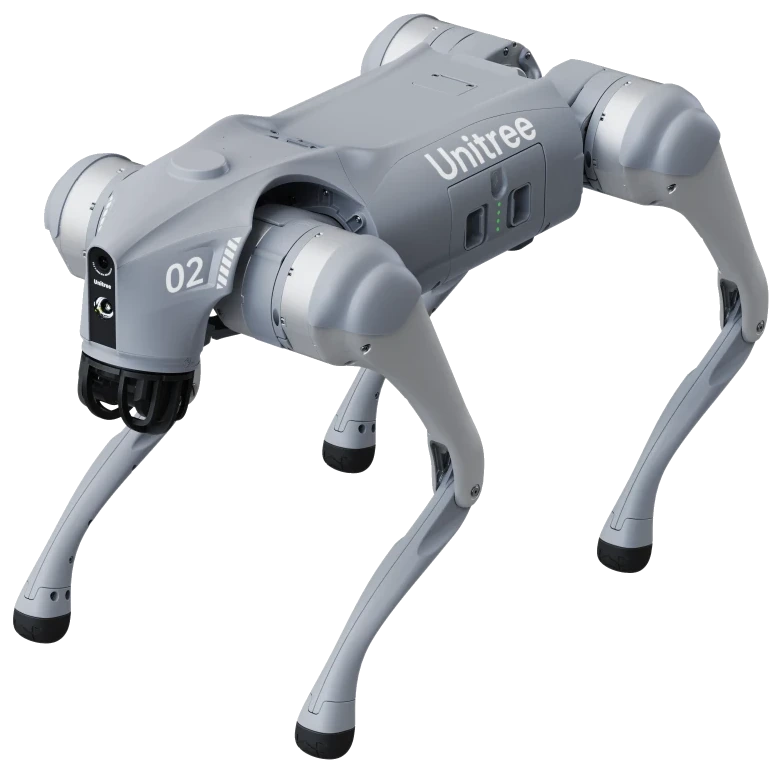
Go2 EDU: a quadruped for research
The Go2 page names Go2 EDU for education, research, software development, demonstrations and robotics application development. Existing configurations include EDU Standard, Smart, Plus and Ultimate. Variant information describes a development platform with full SDK and increasing computing, sensing and LiDAR capabilities. The selected version therefore matters to what you want to investigate or integrate. Do not treat a general Go2-family description as an exact contents list for every EDU package. Consult the product-page versions and discuss the sensors and development capabilities required by your project.
A2: inspection and monitoring
The A2 page describes a platform for inspection and monitoring with IP56 protection. The data lists industrial LiDAR at the front and rear and an HD camera. Platform statistics include a maximum speed of 5 m/s and unloaded endurance of 5 hours or 20 km. The A2 family also includes wheeled A2-W versions. Check the version before applying those figures to a route or deployment. The page also lists connections such as Gigabit Ethernet, USB Type-C, CAN and RS485, providing a basis for discussing the technical connection of additional equipment.
B2: inspection and rough terrain
The site describes B2 for inspection and rough terrain. Product and application copy names IP67 protection and uses in industrial inspection, security and hazardous environments. B2-W is also included within the product family. The page shows sensor examples and an inspection platform with imagery and status information. These examples indicate the applications and expansions being discussed; they do not mean that every sensor or software function is standard in every configuration. Consult B2 specifications and options, then define the information you actually want to collect during an inspection round.
As2 and As2-W: compact and expandable
The As2 page covers As2 and As2-W. Its introduction lists 95 N·m joint modules, a 648 Wh battery and IP54 protection. Computing expansion up to 150 TOPS is described as an option. Information on seven-inch wheels, 6 m/s and obstacles up to 80 cm relates to the displayed As2-W information; do not automatically apply it to the legged version. Inspection also requires considering computing power, data processing and sensors together. The product page names SDK and APIs and lists versions and external interfaces for further technical discussion.
Sensors and software are separate choices
The robot determines how the platform moves; selected equipment determines which data you can collect. The site discusses RGB imagery, thermography and gas or acoustic sensors. These are starting points for defining a measurement task, not an automatic contents list for every robot package. Keep software access and processing separate from sensor selection as well. Go2 EDU is a development platform with several levels; for the other families, also check version, computing power and external interfaces. State what data you need and what you intend to do with it when enquiring. This makes the comparison more meaningful than simply placing four model names or maximum speed figures next to one another without checking their conditions.
From comparison to a focused configuration
Use the model pages to revisit differences for the version you actually mean. Figures for a wheeled version must not automatically be attributed to the legged model. A static load also describes something different from a load during walking. Protection and endurance each tell only part of the story; configuration and conditions remain relevant. The inspection article explores A2, B2 and As2 in more depth. The education article places Go2 EDU alongside G1 EDU. Umotion offers advice, integration, training and service in the Benelux. Describe the task, route and necessary equipment in your enquiry so that the intended configuration stays central rather than a general promise of suitability for your location or every inspection requirement.