
Start with what you want to develop
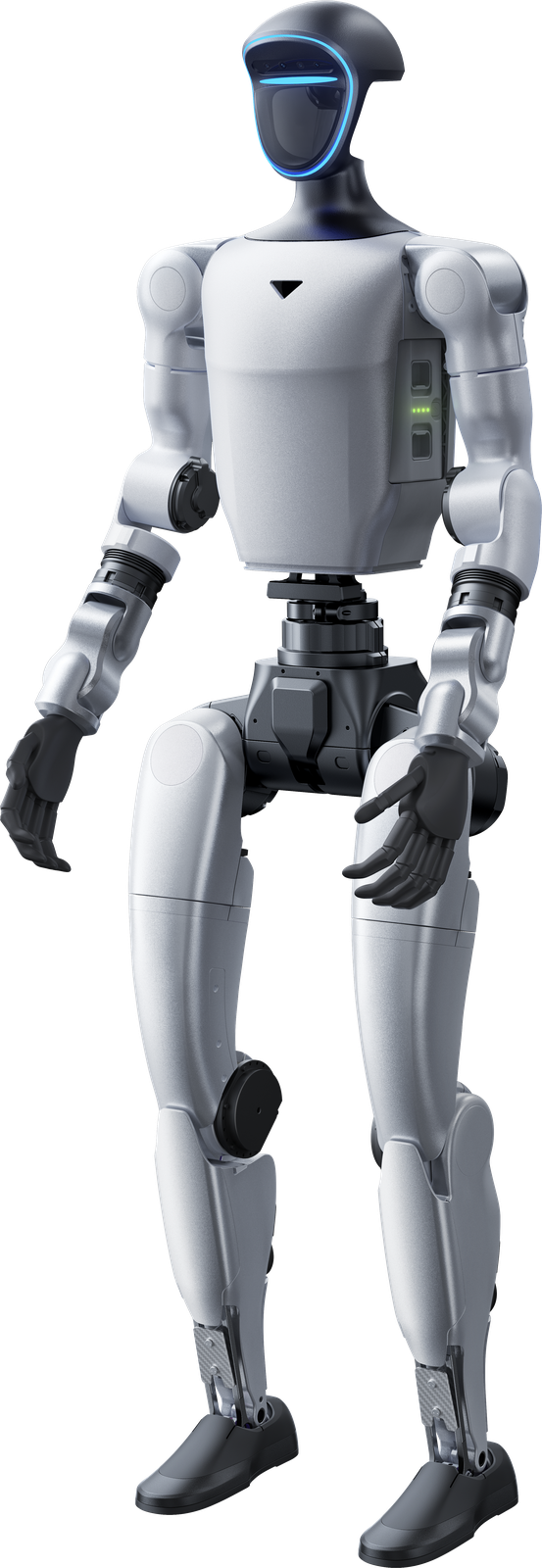
Buying a Unitree G1 starts with a substantive choice: what do you want to investigate, demonstrate or develop with a compact humanoid? The G1 product page describes a platform for development, research and education with different versions. For a business, the question may concern a bounded handling task; for an educational institution, control, movement or robot AI. These questions do not automatically require identical hardware. First record the task, required movement freedom, desired software access and any manipulation needs. Then compare G1 and G1 EDU using the information relevant to those requirements. The product name begins the selection; it does not completely describe your development package.
G1 and G1 EDU are not identical packages
The distinction between G1 and G1 EDU is more than the name. Existing information shows differences in degrees of freedom, joint torque, arm load and secondary development capabilities. Several EDU levels are listed in the range. Look beyond an EDU label to the described version, hands and computing modules. Someone developing custom control or robot software has different questions from someone mainly preparing a demonstration. SDK, simulation and learning information helps that assessment. It does not automatically say which components are included in every version. Specify the intended version explicitly before comparing configurations or amounts, and keep the development requirement connected to the exact platform you are considering.
G1 EDU: humanoid development
Existing G1 texts describe SDK development and access for custom software, control and AI. They also cover imitation learning, reinforcement learning and transferring movements from simulation to the robot. Teleoperation is mentioned for recording human actions. These provide starting points for research into movement, control and interaction. They do not replace the selection of a specific version. The product page distinguishes base and EDU capabilities, including joint torque, arm load and degrees of freedom. Compare those details with your development project’s actual requirements before defining a configuration.
G1 EDU configurations and robot hands
The G1 configuration list contains several EDU levels. EDU Standard is described with a 100 TOPS expansion dock and secondary-development support. Other versions can add joint modules, degrees of freedom or hand configurations. G1 information also describes Dex3-1 hands with seven degrees of freedom per hand and optional tactile information. Hands and modules are not automatically part of every EDU version. For manipulation or interaction research, check the selected hand and version separately. The G1 page lists platform configurations and technology options as a basis for a focused enquiry.
Read the starting price with its conditions
The same starting price as on the G1 product page appears below. Its asterisk refers to the existing explanation at the bottom of this article. The amount excludes VAT and is an entry price for consumer use or marketing purposes, not an industrial application. An EDU configuration, different hands, extra modules or integration support can mean a different package. Do not read the starting price as a fixed amount for every G1 package. Industrial configurations receive a quote on request. Compare the version and desired additions first. This lets you use the price for orientation while the discussion with Umotion concerns the actual application and configuration rather than an assumed complete package.
- Unitree G1From € 22.595 excl. VAT*
What Umotion supplies and supports
Umotion supplies Unitree robots and accessories for businesses, education and research in the Netherlands, Belgium and Luxembourg. Existing services include advice, selection, integration, training and service. For G1, a focused enquiry describes the version you want, the software you intend to develop and the actions you want to investigate. Consult the product page for the configuration list and the education and research article for differences from Go2 EDU. The cost article helps separate the base platform from options. The single quote button in this article lets you submit your G1 enquiry. An enquiry starts a discussion about the desired package; it does not promise a predetermined industrial performance or a universally suitable configuration.