
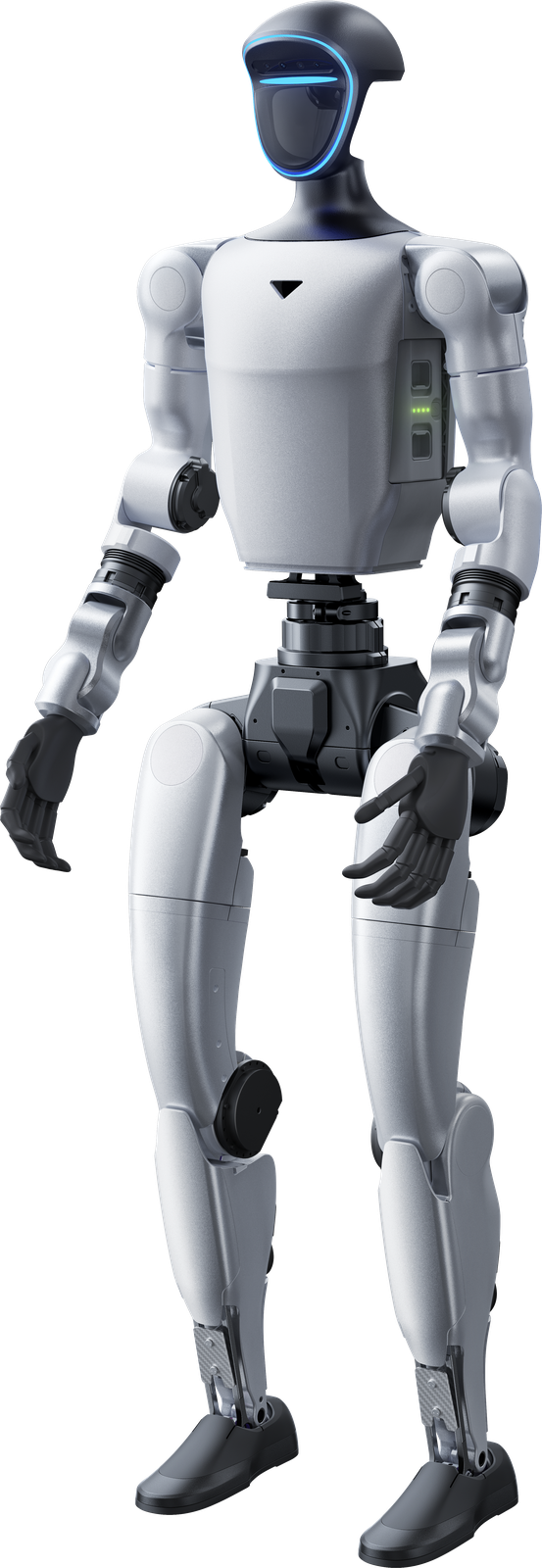
Two different development platforms
Education and research require a robot suited to the subject you want to study. The Unitree range includes G1 EDU and Go2 EDU as development platforms. G1 is a humanoid; Go2 is a quadruped or robot dog. Their movement and the applications described on the product pages consequently differ. Both families offer several versions. Look beyond EDU in the name to the software access, computing power, sensors and accessories of the selected version. Umotion advises on selection and supports integration, training and service for the resulting configuration.
G1 EDU: humanoid development
Existing G1 texts describe SDK development and access for custom software, control and AI. They also cover imitation learning, reinforcement learning and transferring movements from simulation to the robot. Teleoperation is mentioned for recording human actions. These provide starting points for research into movement, control and interaction. They do not replace the selection of a specific version. The product page distinguishes base and EDU capabilities, including joint torque, arm load and degrees of freedom. Compare those details with your development project’s actual requirements before defining a configuration.
G1 EDU configurations and robot hands
The G1 configuration list contains several EDU levels. EDU Standard is described with a 100 TOPS expansion dock and secondary-development support. Other versions can add joint modules, degrees of freedom or hand configurations. G1 information also describes Dex3-1 hands with seven degrees of freedom per hand and optional tactile information. Hands and modules are not automatically part of every EDU version. For manipulation or interaction research, check the selected hand and version separately. The G1 page lists platform configurations and technology options as a basis for a focused enquiry.
Go2 EDU: a quadruped for research
The Go2 page names Go2 EDU for education, research, software development, demonstrations and robotics application development. Existing configurations include EDU Standard, Smart, Plus and Ultimate. Variant information describes a development platform with full SDK and increasing computing, sensing and LiDAR capabilities. The selected version therefore matters to what you want to investigate or integrate. Do not treat a general Go2-family description as an exact contents list for every EDU package. Consult the product-page versions and discuss the sensors and development capabilities required by your project.
Choose around your research question
For humanoid movement and manipulation, examine the G1 information. For quadruped movement, software development and robot-dog applications, the Go2 page provides the relevant data. The comparison is not about a universally better model, but about alignment with your subject and technical environment. Describe the software you want to develop, the data you need and the hardware you want to connect. Then check the SDK, sensors and configuration of the relevant version. Existing specifications are indicative and may depend on configuration and manufacturer updates, as noted in the model overview.
Support and a focused quote
Umotion supplies Unitree robots and accessories in the Netherlands, Belgium and Luxembourg and offers advice, integration, training and service. Discuss that support in relation to your platform and application when making an enquiry. Use the G1 and Go2 pages to review existing versions, options and specifications. Quote buttons carry the model into the contact form; state that you need an EDU configuration for education or research. This keeps the intended development version clear. A general product-page starting price is not a separate price promise for an EDU package. This article adds no delivery times, stock claims or warranty terms.